


It keeps going, and going, and…
There are tons of options when it comes to third-party controllers out there. The Aeon Pro is one of the most impressive ones I have ever used, but also one of the most expensive. With that cost though, the controller comes packed with every feature one could ever need, and perhaps a few I didn’t know I wanted. It had been a while since I had used a SteelSeries controller, and the Aeon Pro certainly lives up to its professional moniker.
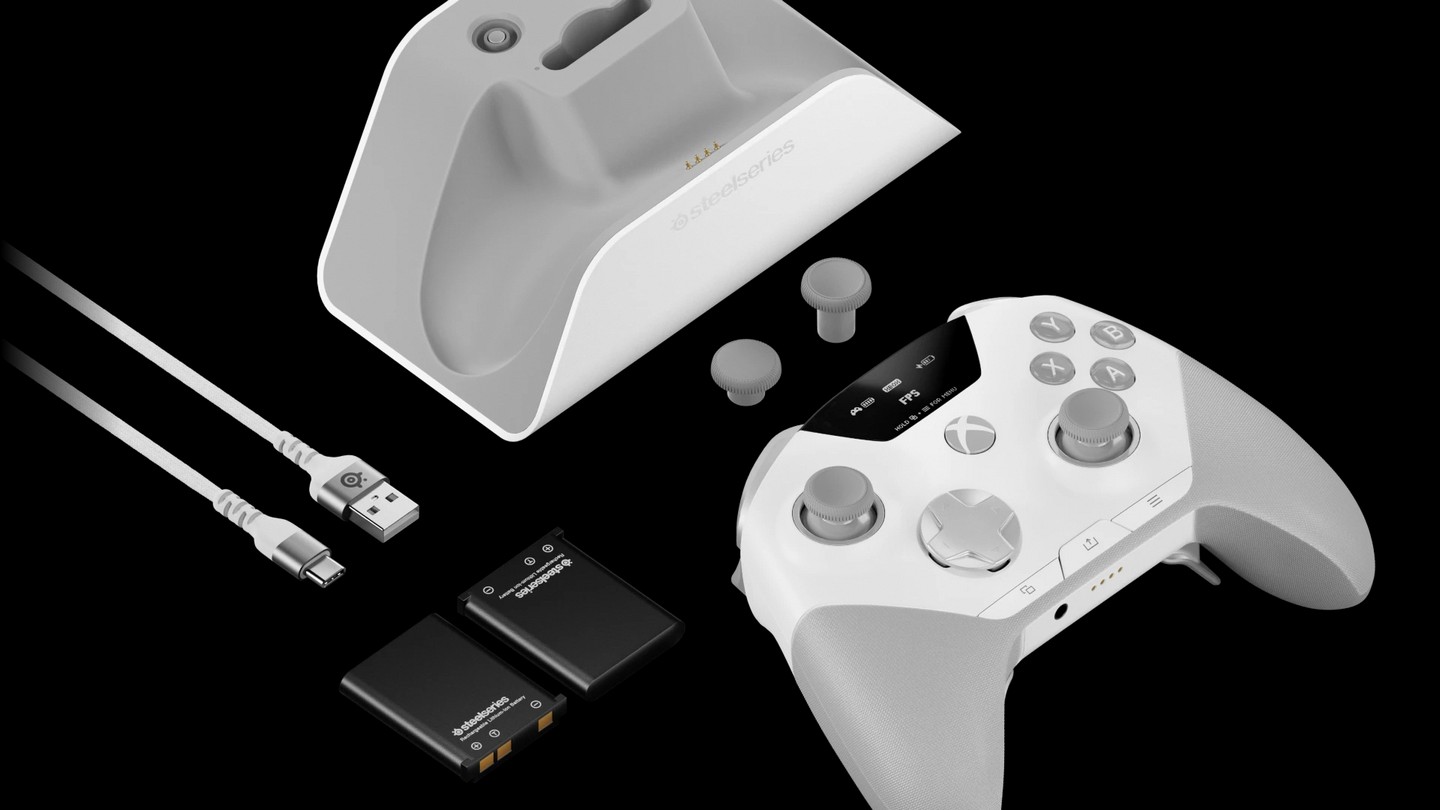
In the box we get the controller itself, a docking station, two rechargeable batteries, a couple extra analog stick nubs, and a USB cable. The two batteries are important as this controller features the infinite battery life found in the Arctis Nova Pro headsets. Basically, there is always a battery lying in wait, and when you exhaust the one in the controller, you can hot swap to the spare one with minimal interruption. This gives players limitless battery power, which I never needed, but certainly appreciated.
MSRP: $259.99
Price I’d Pay: $259.99
The dock itself also solves another problem a lot of controllers run into. It has two USB ports on the back that can be simultaneously connected to an XBOX and a PC. This means the controller works on both devices as well as a Bluetooth connection at the same time. I just had to swap a toggle on the controller, and I was up and running any one of three devices. This is great, but I do wish it had native Switch and PS5 support for the ultimate solution. The only downside to this solution is that unless you have a really long USB cable, or your PC and XBOX are close to each other, you might not be able to take advantage of it.
The design of the controller feels fantastic. Aesthetic-wise it has the normal XBOX offset stick layout, which I prefer. It has rubber grips that wrap around the entire grips, and they feel fantastic. There are four back buttons that have a nice microswitch click to them. I am not a huge fan of their placement though. They tend to overlap the grips, and I found myself hitting the sides of my fingers on them when I first placed my hands on the grips. These cannot be removed for people who prefer not to use back buttons, which I feel is a miss.
The d-pad and face buttons have the same clicky feel that I actually love. The bumpers also have this feature and are a little larger than standard shoulder buttons. This makes moving between the triggers and the shoulder buttons a little cumbersome at first, but I did get used to it. As for the triggers, they feel great, and as with most pro controller setups, there are switches to toggle travel distance. This means FPS fans can make them instance button presses to get that advantage in-game.
The analog sticks are good, but not great. The first thing is that they went for the Hall Effect model as opposed to the more precise TMR. Something about them just felt a little bit off. Not sure if it was the size or the resistance, but I found myself taking a while to adjust to them. Their travel distance feels a smidge further than what I am used to. The caps feel good though and once I settled in, I had few issues. For most games these sticks are perfectly fine, it is only when I went into a competitive game of Overwatch that the issues really stuck out.
As with most controllers in this design tier, we have a fully functioning OLED display right on the controller. This is the most advanced one I have seen yet as it basically contains the entire GG suite of features built right in. You can remap buttons, switch profiles, adjust thumbstick curve, and so much more. This basically makes it so you can do anything on-the-fly without having to open the desktop app. This is great for XBOX-only users as I could adjust pretty much any setting with little resistance.
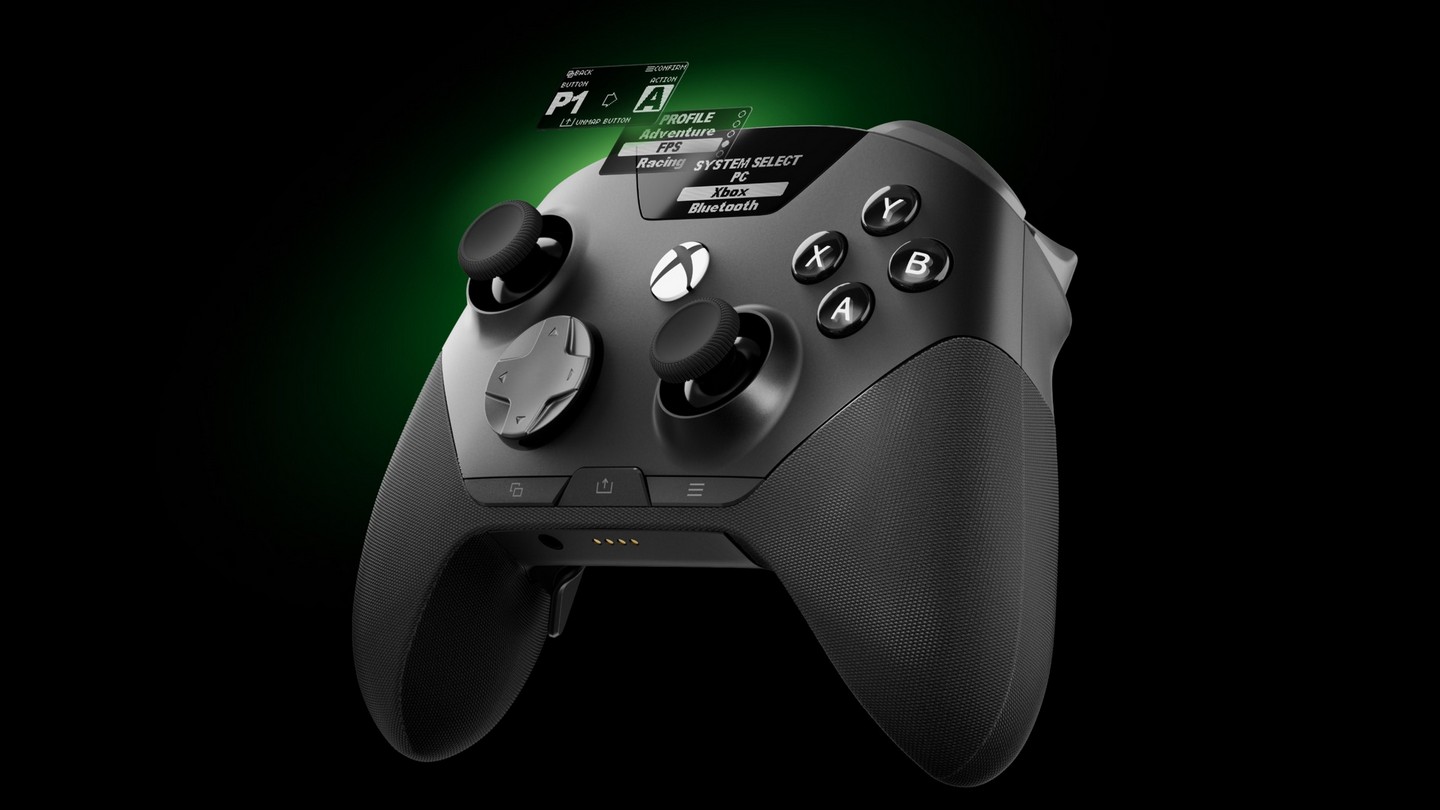
If there is one thing that drove me nuts about this controller though is the placement of the system buttons. I get the OLED screen has to take the place of the XBOX button itself, but moving the menu buttons below the d-pad across the bottom of the controller threw me off for quite a while. I found myself hitting the middle of the controller to pause and take screenshots regularly. It takes quite a bit of use to get accustomed to their placement.
The Aeon Pro is easily the most pro version of a pro controller I have ever used. The price tag is definitely scary, but if you are serious about having all the functionality in one place, it is worth the investment. It is extremely comfortable and features just about anything you could possibly want from an input device. The infinite battery life is a gamechanger and this has become my go-to controller for PC gaming.
Review hardware provided by publisher.