


One headset to rule them all.
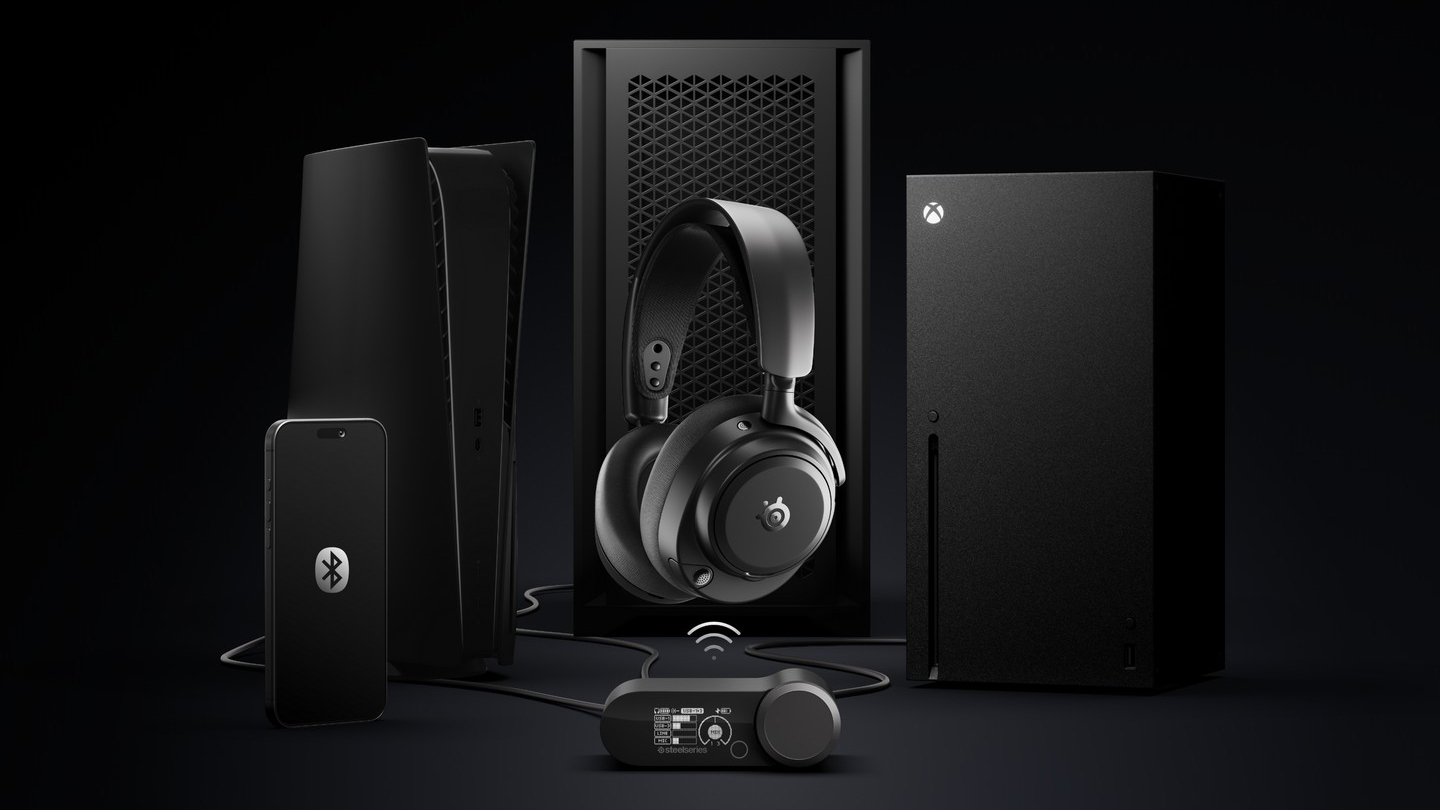
How many headsets are too many? In my case, I have an army of headsets collected over the years. I have some specific to one platform, some for multiple, but few that cover them all. That is the pitch for the Arctis Nova Pro Omni. The latest headset from SteelSeries is designed to remove the friction of having multiple headsets at once. It supports literally everything. It has multiple simultaneous connections, as well as wireless options making it ideal for people looking for one solution to rule them all. This all sounds good on paper, but how does it work in practice?
Anyone familiar with SteelSeries headsets will feel right at home out of the box. We get the headset, the GameHub, two hot-swappable batteries, two USB-C to USB-A cables, and a microphone pop filter. The design of the headset is similar to previous SteelSeries units. It is built mostly of plastic and uses the smaller headband design with decent-sized earcups that go over the ear. If I had one gripe, it would be the texture on the cups. They stick to my head after extended use, and are not as comfortable as something like the felt design on the newest Turtle Beach headset.
MSRP: $399.99
Price I’d Pay: $399.99
They have reduced the weight on the Arctis Nova Pro Omni over the Elite one though, making it more bearable for longer sessions. There are magnetic covers on both sides, one houses the battery. The controls are all in familiar places, and easy to access when wearing the headset. I love how each one feels unique, making it easy to decipher which control I am using.
The GameHub is by far the highlight of these headsets. It is where the magic happens. It has analog line in and line out as well as three USB connections on the back, one designed specifically for XBOX. The unit does not come with any analog cables, so if you want to use that feature, you will need to provide your own cables. The wheel also returns alongside the capacitive button, which allows for tons of features including volume, microphone settings, source levels, EQ options, and more. It is nice to have these features at the hardware level, especially for console users.
As mentioned in addition to the USB connections, the GameHub also allows for connection via Bluetooth or via 2.4Ghz wireless. Both worked well in my tests, but this was mostly using my phone. This brings up one of the coolest features of this headset. I was able to be playing a game, listening to music, chatting on Discord, and even being able to take a call, all on the same device. It sounds like chaos, but once set up, it works flawlessly. For anyone that multitasks like this, these are great features.
For me, the biggest boon was being able to use multiple consoles at the same time without swapping headsets. I loved being able to have a session in Overwatch, then quickly jump over to Zelda on my Switch, without doing anything on my end to switch audio sources. It can all be controlled via the GameHub or the phone app. Speaking of, the app allows for a ton of customization including preset EQ settings, ACN (active noise cancelling,) and so much more. It is nice having everything in one place at all times.
If you want to get way into the weeds, the PC software is outstanding. This is easily the best audio customization software I have ever used. It allows for intricate customization that is well beyond my audio expertise. I am not a person who digs deep into frequencies and such, but that is all here. I could see audiophiles spending hours here tweaking settings, and it is awesome that it is available to those that want it. If you are like me, and are a simple man, there are a ton of presets available, even game specific ones.
The battery lasts around 25-30 hours, and since there is a hot-swappable one in the GameHub, I never had to worry about running out of power. The casing comes off easily, and the second battery pops out without much resistance. It took me about 5 seconds to swap, but anyone who burns out one battery at once plays a lot more than me. I always swap batteries after sessions though, as I like to keep things fresh.
Audio quality is fantastic. The Nova Omni Pro uses 40mm Hi-Res Neodymium Magnetic Drivers, yes I had to Google that, and they opt for more clarity than bass. I am a sucker for pounding bass, and while I can swap to increase it, it doesn’t hit as hard as other headsets. Most people prefer this, which is why I suspect they went this route. Regardless, it still sounds amazing. The clarity of surround sound during games that take advantage were impressive. I was able to judge where enemies were in shooters, and music sounds incredible. The mic is also impressive and sounds great when used in recording.
For people like me who game on multiple consoles/devices, the Arctis Nova Pro Omni is a fantastic solution of having multiple headsets. It is easy enough for novice users to figure out and features enough customization to appease audiophiles. The price tag is a bit steep, but for what you get, I feel like it is worth it. There is just so much to love here. I do wish the earcups were a different material, but if that is my biggest concern, I think they did alright.
Review hardware provided by publisher.