

So close to perfection…
Brook is mostly known for their USB devices that allow gamers to use their favorite controllers on rival consoles, but now they are stepping into the ring with their very own input device. The StarRay Controller is the latest from the company that brought us the excellent Wingman devices as well as my recently reviewed Xone SE2. This new controller is designed to work with either the PlayStation 5 or PC and supports both wired and wireless options. The big question is, can it be a suitable replacement for the Dual Sense, or just another failed attempt.
Inside the box we get a minimal amount of stuff. Just the controller, a USB-c to USB-c cable and a quick start guide. Not even the normal stickers or anything extra, but I am good with that, right to business. Setting it up on PS5 is simple, just plug the cable into the console, then into the controller and sync it up. You can then unplug the cable and use it wirelessly. You can also pair it wirelessly by holding down the Create (Share) button and find it in your Bluetooth devices on PC or PS5. This process is easy and simple.
MSRP: $64.99
Platforms: PS5/PC
Price I’d Pay: $64.99
Let’s talk about the design of this controller. One of the biggest positives for me is that it has the offset stick design, which is what I prefer. One of the biggest issues I have with the Dual Sense, and all PS controllers for that matter, are the symmetrical thumbsticks. It just isn’t comfortable for me for anything outside of 2D games. Brook went a little overboard with microswitches on this controller though. All four face buttons and the d-pad use these switches. Normally I love these, but all the buttons here feel stiff and hard to press fully down. During racing games that require a face button for example, I would sometimes lose my press as I wasn’t pressing hard enough.
The triggers have locks as per most premium controllers, again Brook opted for micro switches when these are locked. The bumpers get the same treatment as do the new extra two triggers in the middle of the top of the controller. Speaking of, we get two back buttons and the two new triggers on top. These are positioned well and are easy to access without accidentally hitting them during game play. I don’t normally use these extra buttons, so not accidentally activating is nice.
The actual feel of the controller is nice. The plastic feels like it is quality, though it is a bit light to hold. It has some nice grips on each side, and it didn’t cramp my hands during long play sessions, unless I was using the d-pad, more on that in a bit. Triggers feel good and springy. The touchpad works as expected but is a bit smaller than the standard one on the Dual Sense. I had no issues completing motions on the controller itself. The analog sticks have good travel and their resistance feels good. I had no issues with movement on them, but I am not some expert controller aim god, but I had no issues hitting headshots in games like Overwatch and Call of Duty.
Much like any other premium controller, the StarRay features programmable buttons and motions. The process is super simple, just hold the program button, press the button to program, then the new button, and it is programmed. Took me five seconds to figure it out, and you can even program macros. So, for example, you want to program a move in a fighting game, let’s say Fatality inputs, just follow the process, then when it says ‘Finish Him’ just tap one of the extra buttons. Super cool.
While I love most about what this controller offers, there are two things that are not ideal. The first is a minor issue, which is the Create (Share) button. Its location is awful. It sits right next to the left analog, and in order to press it, you will move the analog stick. It is impossible to reach without moving the stick a little to the left or up to fully press the Share button. While I don’t use this button often, it is still frustrating as it is never a clean press. The second issue though, is much more of a deal breaker.
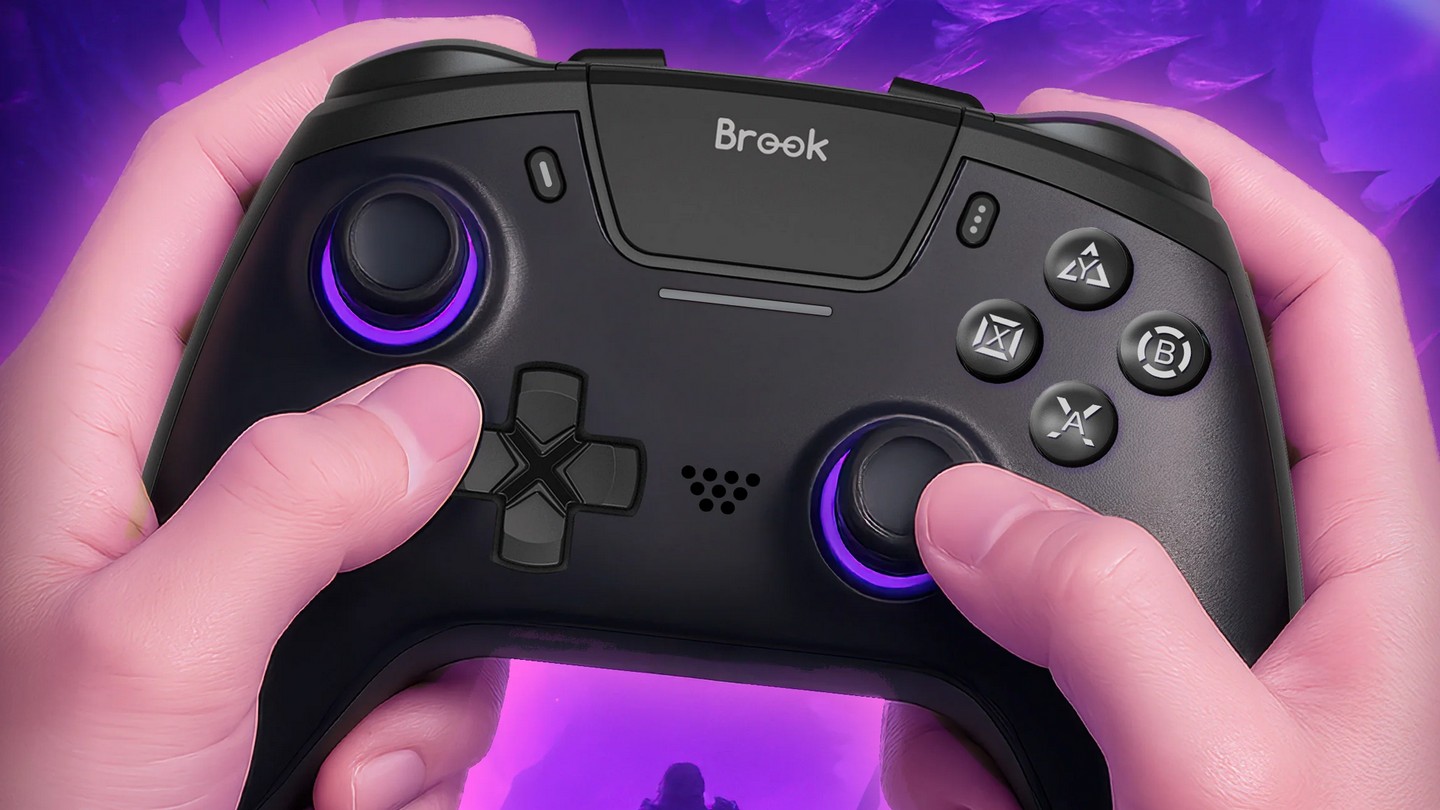
The d-pad is riddled with issues. For starters it is a microswitch, which is fine sometimes, but with how hard I needed to press a direction, diagonal movements are a pain. A lot of times when I wanted to jump diagonally in a fighting game, I would either jump straight up or move forward. Hitting that diagonal is more frustrating than it needs to be. Moves such as hadoukens are also a problem. I had more success using the analog stick, which is never the case with me. The location of the d-pad is also an issue, reaching the right input forced me to move my hand just enough to be uncomfortable. So, if you play a lot of 2D games or fighting games, this should certainly be a consideration. I am not a fan of the way this d-pad is designed at all.
The StarRay controller is almost a perfect replacement for the Dual Sense. It has more features, my preferred analog stick placement, and it works excellently for most games. The Share button and d-pad issues hold it back though. The d-pad is a real problem for gamers that play a lot of fighting games, and it makes it hard to overlook. Otherwise, this controller is incredible and it has become my go-to to use for PS5. If you can get past the issues with the d-pad, this is by far the best alternative controller available for the PlayStation 5.
Review copy of game provided by publisher.