


Taking full control
Anyone who knows me knows that I am not a huge fan of Sony’s new Dual Sense controller. While always having preferred offset analog sticks, it is also just large enough that over extended play time, it starts to hurt my hands. I recently reviewed the Wingman P5, which allowed connection of Xbox controllers to the PS5, but it had some caveats. This brings me to this new device, the Xone SE2. While the name won’t roll off your tongue, its functionality is exactly what I have been looking for. This device allows the Xbox controller to work with PS5, Switch, and PC without compromise.
Let’s start with what is in the box. We of course get the adapter, which is very light. Hooking it into my Xbox controller added almost no weight to the controller and its design keeps it from getting in the way during normal play. If you remember when the Xbox One originally launched, its design is not too dissimilar to the original chat adapter for the headset. It plugs into the bottom of the controller through the headphone jack. It also comes with a short USB cable to attach it to the controller, a set of stickers, a keychain, and a quick start guide.
MSRP: $42.99
Compatible With: PlayStation 5, Switch, PC
Price I’d Pay: $42.99
Setting up the Xone SE2 is simple. Just attach it to the controller and connect the included USB cord. Then to set it up to the console, simply plug it into the system via an external USB. This allows for wired play, but if you want to use wireless, simply unplug the cable and press the Xbox button. Once that is done you can use it normally, which includes turning the console on and off.
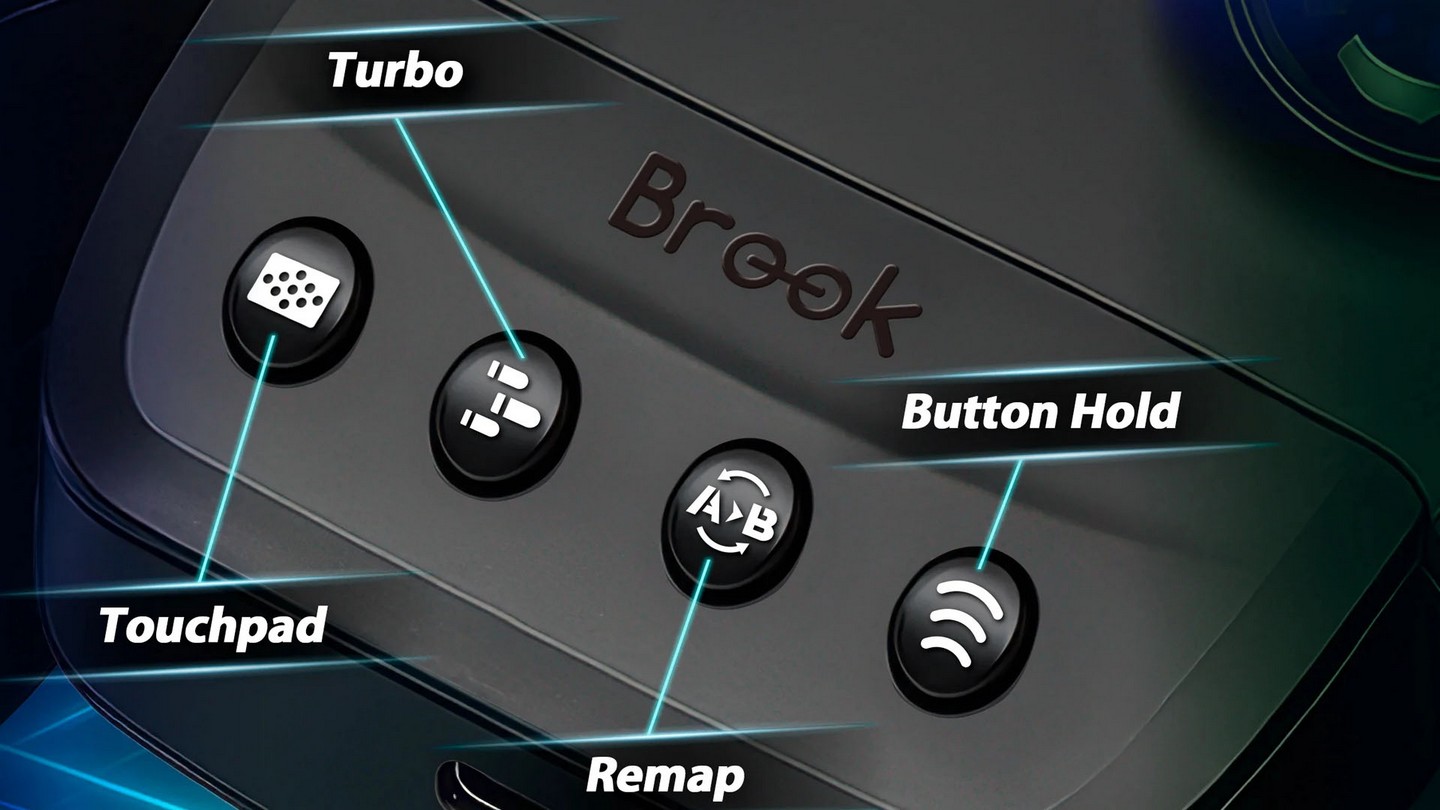
The Xone SE2 also comes with a series of buttons on the bottom of the dongle. From left to right there are touchpad emulation, turbo, button remap, and a sync button. The touchpad emulation is one of the biggest draws to this device as so many PS5 games require it. There are two modes for this feature, simple and advanced. It defaults to simple, which just lets you tap the button and move the right analog stick, but if you want to have more intuitive control, switch to advanced and you can do more complex touchpad motions. It works surprisingly well and lets me play any game I throw at it.
The turbo button works fairly simply. Just tap the turbo button and the button you want to use it with, and it is done. Do the same to deactivate. Remap works the same way and can even be used with the back paddles on the Elite series of controllers. The sync button is well the sync button and works pretty much as expected. What is really impressive are the motion controls though. They worked a lot better than I had anticipated. This will not work on an Xbox console of course because the system simply doesn’t support it, but for PS5 and Switch it works great.
I tested multiple games using this device and was unable to find any noticeable lag regardless of the game type. Whether I was playing a fighting game, a single player experience such as Ghost of Yotei, or even an online shooter like Overwatch that required pinpoint accuracy and low input lag, the device worked as if it was connected natively. This is a really impressive option for people that prefer the Xbox controller design over the competition.
If you are like me and just prefer the feel of an Xbox controller, this device is a must-have. Its simplicity in design and functionality is second to none. The touch controls take a bit to get used to, and updating via a PC app is not ideal, but once it is set up, I had no issues whatsoever. For less than $50 I cannot recommend this enough. It really adds life to my stockpile of extra Xbox controllers and gives me the option to use them to play Zelda with my preferred controller design. Now I just need to pick up two or three more and I can retire my Dual Sense controllers.
Review hardware provided by publisher.